You don't have to use txt files!!
Turns out, you don't have to use text files to store your notes!! Bad news is a lot of people had the same idea and so now there's a whole lot of solutions, and since I'm bored I'm trying out a new one every week, and now I'll start sharing my experiences with each one. I'm only gonna be using the free features and, being a sucker for free open source software, I'm gonna be favoring those any day of the week. First of all though, it''s probably fair to explain my experience with what I consider to be my default notes app and personal knowledge base...
Logseq
I discovered logseq quite a while ago while looking for alternatives to Anytype, after having discovered that its license wasn't quite as open as I thought (took me embarrassedly long but that's not the point). Logseq is currently not being developed super fast, however despite still being kind of wonky I've been very very comfortable with it.
The works
It follows outliner style editing, with each note-block being a child of another note-block, all in a collapsible structure with little bullets that you can click on to focus on that branch. It also uses pure markdown files that I sync between my devices using Syncthing. Native syncing functionality is supported but it's paid access and I'm poor so I just do it my way.
The default page upon opening is normally the Journals page, which is a continuous "stream" of notes each divided by day where you can dump your thoughts until you feel like organizing them. It's actually kinda nice and really got me into writing down things without overthinking how to categorize and connect and stuff. The quick switcher [CTRL+K] is, well, quick, but it's also reliable and very powerful and it's nearly the only way I switch between different pages
The main issues I have with it so far is that it lacks support for certain more advanced LaTeX functions, for instance I wanted to use chemfig to draw molecules, however I looked into it and a library that chemfig is based on just isn't available for the LaTeX implementation Logseq uses (KaTeX) so I just have to deal with it. Moreover, it can be pretty buggy, especially the mobile app, plus on first startup in can be quite slow, even if you're not using the Flatpak, but otherwise it's a really solid note taking application!
It also has a "whiteboards" feature, although using a laptop it's too uncomfortable to use but if you need a graph it'll do it. It's also got flashcards to help with memorizing which I never use because I'm smart and don't need tricks to memorize things (lie).
It can be a bit of a hassle to learn how it works as it's not always intuitive, but it's got decent offline guides and great online documentation so you'll get through it.
The looks
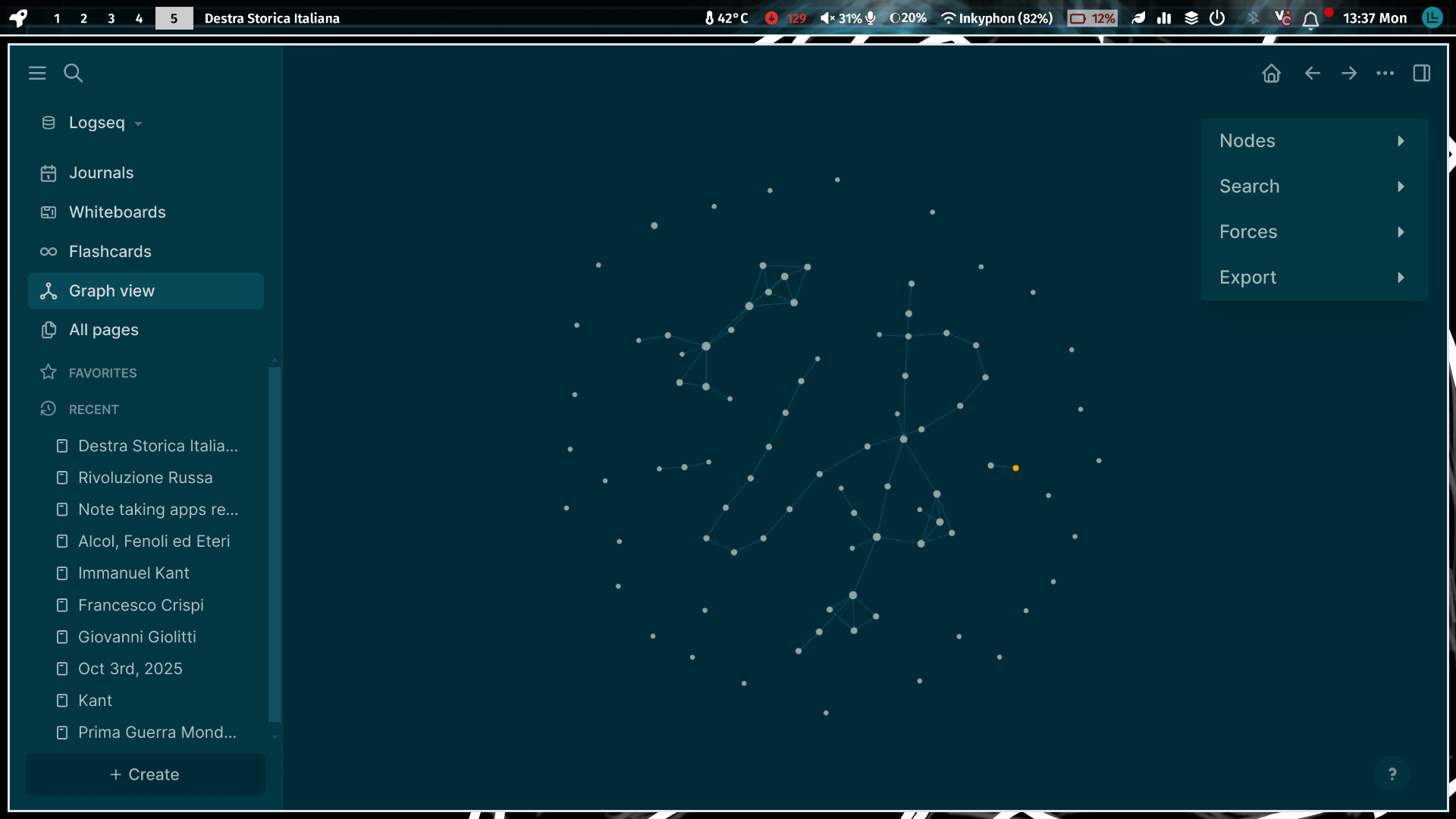
It looks fine. it's not amazing but none of the the apps I've tried so far have been. It's very customizable, giving you the ability to edit the CSS defining everything if you want, and there's some themes you can install off of the built-in plugin store (oh it's got some neat plugins too ig). I'm happy with the default solarized-esque theme but it's nice to have options. I consider the graph view a visual thing since it doesn't actually serve a practical purpose, but it's got one and it can look pretty sick (see image). It just looks good, has coherent design lenguage, except for an absolutely abhorrent icon that would make any graphic designer cry. Logseq! My choice :3